Informatica IDMC has become the default upgrade path for organizations moving off PowerCenter, but many discover that IDMC's per-IPU pricing model creates unpredictable costs as data volumes grow. Meanwhile, Snowflake's consumption-based pricing, near-zero administration, and native transformation capabilities through Snowpark and SQL make it an increasingly compelling platform to run ETL directly — without an external integration tool.
This article provides a detailed technical mapping of Informatica IDMC Cloud Data Integration (CDI) concepts to their Snowflake-native equivalents, covering mappings, transformations, taskflows, connections, and the fundamental shift from Secure Agent compute to Snowflake virtual warehouses.
IDMC Architecture vs. Snowflake Architecture
IDMC uses a cloud control plane with Secure Agents for execution. CDI mappings are designed visually and run on agent infrastructure. Data moves through Informatica's runtime from source to target, with transformations applied in-flight by the Secure Agent process.
Snowflake is a cloud data platform with separated storage and compute. Virtual warehouses provide elastic compute that scales independently. Snowpark enables Python, Java, and Scala DataFrames that execute on Snowflake's compute engine. Snowflake Tasks and Streams provide native orchestration and change data capture. All data lives in Snowflake's managed storage with automatic optimization.
| IDMC Concept | Snowflake Equivalent | Notes |
|---|---|---|
| CDI Mapping | Snowpark Python script / SQL procedure | Transformation logic runs on Snowflake compute |
| Mapping Task | Snowflake Task / Stored Procedure | Scheduled execution with warehouse assignment |
| Taskflow | Task DAG / Snowflake Tasks with predecessors | Native dependency chains with CRON scheduling |
| Secure Agent | Virtual Warehouse | Elastic, auto-suspend, auto-resume compute |
| Connection | Stage / Storage Integration / Secret | External stages for cloud storage, integrations for auth |
| Parameter File | Session variables / Procedure arguments | SET variable or procedure parameters |
| Hierarchy Parser | FLATTEN() / PARSE_JSON() | Native semi-structured data handling |
| Pushdown Optimization | Native (all compute is in Snowflake) | No data movement — transformations run where data lives |
| Data Preview | Worksheets / Snowsight | Interactive SQL editor with instant preview |
| CDI Elastic | Multi-cluster warehouse | Auto-scale compute for concurrent workloads |

Informatica to Snowflake migration — automated end-to-end by MigryX
Mapping IDMC Transformations to Snowflake
IDMC CDI transformations can be implemented in Snowflake using either SQL (for most transformations) or Snowpark Python (for complex logic). Below are the most common mappings.
Source and Target Transformations
IDMC Source transformations connect to external systems through managed connections. In Snowflake, data ingestion uses Snowpipe (continuous), COPY INTO (batch), or external tables for query-in-place. Once data lands in Snowflake, all transformation happens natively.
-- IDMC Source: Read from S3 via IDMC connection
-- IDMC Target: Write to Snowflake table via IDMC connection

-- Snowflake equivalent — direct ingestion, no middleware
-- Step 1: Create stage pointing to cloud storage
CREATE OR REPLACE STAGE raw_data_stage
  URL = 's3://company-data/raw/'
  STORAGE_INTEGRATION = s3_integration
  FILE_FORMAT = (TYPE = 'PARQUET');

-- Step 2: Load data directly into Snowflake
COPY INTO bronze.salesforce_accounts
FROM @raw_data_stage/accounts/
  FILE_FORMAT = (TYPE = 'PARQUET')
  MATCH_BY_COLUMN_NAME = CASE_INSENSITIVE;

-- Or use Snowpipe for continuous ingestion
CREATE OR REPLACE PIPE bronze.accounts_pipe
  AUTO_INGEST = TRUE
AS
  COPY INTO bronze.salesforce_accounts
  FROM @raw_data_stage/accounts/;
Joiner Transformation
IDMC Joiner transformations become standard SQL JOINs or Snowpark DataFrame joins. Snowflake's optimizer handles join strategy selection automatically.
-- IDMC Joiner: Join accounts with opportunities
-- Join Type: Master Outer (left join)

-- Snowflake SQL equivalent
CREATE OR REPLACE TABLE silver.enriched_opportunities AS
SELECT
    o.*,
    a.account_name,
    a.industry,
    a.region
FROM bronze.opportunities o
LEFT JOIN bronze.accounts a
    ON o.account_id = a.account_id;
# Snowpark Python equivalent
from snowflake.snowpark import functions as F

accounts = session.table("bronze.accounts")
opportunities = session.table("bronze.opportunities")

enriched = opportunities.join(
    accounts,
    opportunities.account_id == accounts.account_id,
    "left"
).select(
    opportunities["*"],
    accounts.account_name,
    accounts.industry,
    accounts.region
)

enriched.write.mode("overwrite").save_as_table("silver.enriched_opportunities")
Aggregator Transformation
IDMC Aggregator transformations map directly to SQL GROUP BY or Snowpark group_by().agg(). Snowflake's columnar storage and automatic micro-partitioning make aggregations extremely fast without manual tuning.
-- IDMC Aggregator: Revenue by region and quarter

-- Snowflake SQL equivalent
CREATE OR REPLACE TABLE gold.pipeline_summary AS
SELECT
    region,
    fiscal_quarter,
    SUM(deal_amount) AS total_pipeline,
    COUNT(opportunity_id) AS deal_count,
    AVG(close_probability) AS avg_probability,
    MAX(close_date) AS latest_close
FROM silver.enriched_opportunities
GROUP BY region, fiscal_quarter
ORDER BY region, fiscal_quarter;
Lookup Transformation
IDMC cached Lookup transformations become simple LEFT JOINs in Snowflake. Since all data is already in Snowflake, there is no need for separate caching — the optimizer handles data access patterns automatically.
-- IDMC Lookup: Enrich with product catalog
-- Condition: product_id = product_id
-- Return: product_name, product_tier, list_price

-- Snowflake SQL — just a join, no caching config needed
SELECT
    o.*,
    p.product_name,
    p.product_tier,
    p.list_price
FROM silver.enriched_opportunities o
LEFT JOIN ref.product_catalog p
    ON o.product_id = p.product_id;
In IDMC, Lookup transformations require explicit caching configuration to avoid repeated database hits. In Snowflake, there is no external lookup — all reference data lives in the same platform, and the query optimizer handles data access efficiently. This eliminates an entire category of performance tuning.
Expression and Router Transformations
IDMC Expression and Router transformations map to SQL CASE expressions and WHERE clauses, or Snowpark with_column() and filter().
-- IDMC Expression: weighted_score = deal_amount * close_probability / 100
-- IDMC Router: Route by deal_tier

-- Snowflake SQL equivalent
CREATE OR REPLACE TABLE gold.scored_pipeline AS
SELECT
    *,
    deal_amount * close_probability / 100 AS weighted_score,
    CASE
        WHEN deal_amount * close_probability / 100 >= 100000 THEN 'enterprise'
        WHEN deal_amount * close_probability / 100 >= 25000  THEN 'mid_market'
        ELSE 'smb'
    END AS deal_tier
FROM silver.enriched_opportunities;
Hierarchy Parser (JSON/XML Flattening)
IDMC's Hierarchy Parser transformation handles nested JSON and XML. Snowflake has first-class support for semi-structured data through the VARIANT type, PARSE_JSON(), FLATTEN(), and dot-notation traversal.
-- IDMC Hierarchy Parser: Flatten nested JSON API response
-- Input: {"orders": [{"id": 1, "items": [{"sku": "A1", "qty": 2}]}]}

-- Snowflake equivalent using FLATTEN
SELECT
    o.value:id::INTEGER AS order_id,
    i.value:sku::STRING AS sku,
    i.value:qty::INTEGER AS qty
FROM bronze.api_responses r,
    LATERAL FLATTEN(input => PARSE_JSON(r.payload):orders) o,
    LATERAL FLATTEN(input => o.value:items) i;
MigryX: Purpose-Built Parsers for Every Legacy Technology
MigryX does not rely on generic text matching or regex-based parsing. For every supported legacy technology, MigryX has built a dedicated Abstract Syntax Tree (AST) parser that understands the full grammar and semantics of that platform. This means MigryX captures not just what the code does, but why — understanding implicit behaviors, default settings, and platform-specific quirks that generic tools miss entirely.
Taskflow to Snowflake Tasks and Streams
IDMC Taskflows orchestrate mapping execution with conditional logic and dependencies. Snowflake Tasks provide native CRON-based scheduling with predecessor dependencies, forming a DAG. Snowflake Streams enable change data capture for incremental processing.
-- Replacing an IDMC Taskflow: Extract → Transform → Load → Quality Check

-- Step 1: Create a Stream for incremental processing
CREATE OR REPLACE STREAM bronze.accounts_stream
  ON TABLE bronze.salesforce_accounts;

-- Step 2: Create the task DAG
CREATE OR REPLACE TASK silver.transform_accounts
  WAREHOUSE = etl_wh
  SCHEDULE = 'USING CRON 0 6 * * * America/New_York'
  WHEN SYSTEM$STREAM_HAS_DATA('bronze.accounts_stream')
AS
  MERGE INTO silver.accounts t
  USING bronze.accounts_stream s
  ON t.account_id = s.account_id
  WHEN MATCHED THEN UPDATE SET
    t.account_name = s.account_name,
    t.industry = s.industry,
    t.updated_at = CURRENT_TIMESTAMP()
  WHEN NOT MATCHED THEN INSERT (account_id, account_name, industry, updated_at)
    VALUES (s.account_id, s.account_name, s.industry, CURRENT_TIMESTAMP());

CREATE OR REPLACE TASK gold.build_summary
  WAREHOUSE = etl_wh
  AFTER silver.transform_accounts
AS
  CREATE OR REPLACE TABLE gold.account_summary AS
  SELECT industry, COUNT(*) AS account_count, SUM(annual_revenue) AS total_revenue
  FROM silver.accounts GROUP BY industry;

CREATE OR REPLACE TASK gold.quality_check
  WAREHOUSE = etl_wh
  AFTER gold.build_summary
AS
  CALL quality.validate_table('gold.account_summary');

-- Enable the task tree
ALTER TASK gold.quality_check RESUME;
ALTER TASK gold.build_summary RESUME;
ALTER TASK silver.transform_accounts RESUME;
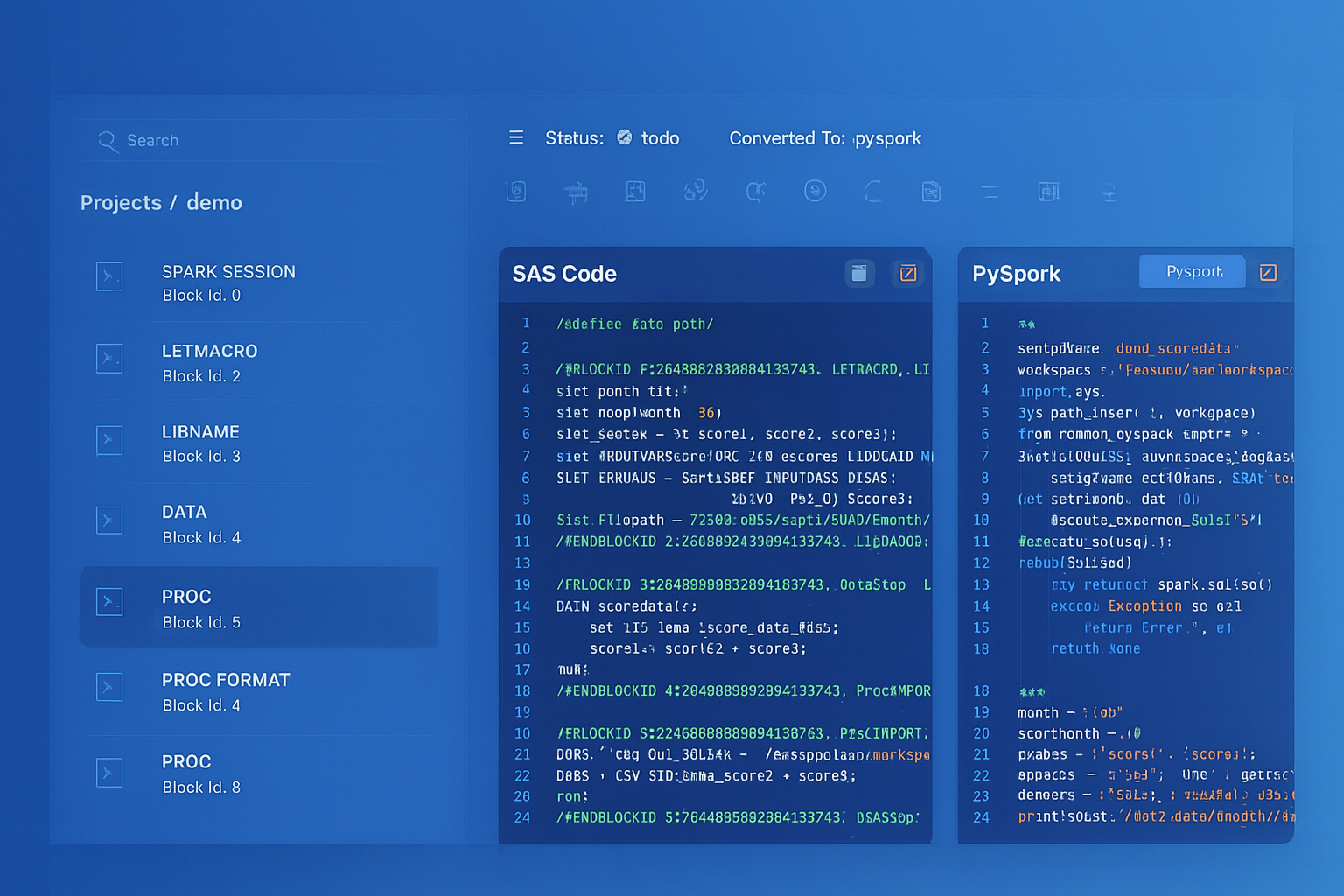
From parsed legacy code to production-ready modern equivalents — MigryX automates the entire conversion pipeline
From Legacy Complexity to Modern Clarity with MigryX
Legacy ETL platforms encode business logic in visual workflows, proprietary XML formats, and platform-specific constructs that are opaque to standard analysis tools. MigryX’s deep parsers crack open these proprietary formats and extract the underlying data transformations, business rules, and data flows. The result is complete transparency into what your legacy code actually does — often revealing undocumented logic that even the original developers had forgotten.
Secure Agent vs. Snowflake Virtual Warehouses
The most fundamental shift is compute model. IDMC Secure Agents are persistent processes on VMs or physical servers. Snowflake virtual warehouses are elastic, auto-suspending compute clusters.
- Scaling — Secure Agents require manual provisioning and agent group configuration. Snowflake warehouses resize with a single ALTER WAREHOUSE command, and multi-cluster warehouses auto-scale for concurrency.
- Cost — Secure Agents incur VM costs 24/7. Snowflake warehouses auto-suspend after idle periods (as low as 60 seconds) and auto-resume on demand.
- Maintenance — Secure Agents require OS patching, Java updates, and connector upgrades. Snowflake manages all infrastructure.
- Data locality — Secure Agents move data between source and target through the agent process. Snowflake compute runs where the data lives, eliminating network transfer for transformations.
Snowflake Dynamic Tables: Zero-Code Pipelines
For simpler IDMC mappings that are primarily SQL-based, Snowflake Dynamic Tables provide a declarative alternative that requires no orchestration at all. You define the target as a query, and Snowflake automatically keeps it up to date.
-- Replace a simple IDMC mapping + task with a Dynamic Table
-- Snowflake manages refresh automatically based on data changes

CREATE OR REPLACE DYNAMIC TABLE gold.active_customers
  TARGET_LAG = '1 hour'
  WAREHOUSE = etl_wh
AS
  SELECT
      c.customer_id,
      c.name,
      c.email,
      COUNT(o.order_id) AS total_orders,
      SUM(o.amount) AS lifetime_value,
      MAX(o.order_date) AS last_order_date
  FROM silver.customers c
  JOIN silver.orders o ON c.customer_id = o.customer_id
  WHERE o.order_date >= DATEADD('year', -2, CURRENT_DATE())
  GROUP BY c.customer_id, c.name, c.email
  HAVING COUNT(o.order_id) >= 1;
Snowflake Dynamic Tables are the most powerful simplification for IDMC migration. Many IDMC mappings exist solely to transform and load data on a schedule. A Dynamic Table replaces both the mapping and the taskflow with a single declarative SQL definition that Snowflake keeps fresh automatically.
Key Takeaways
- Every IDMC CDI transformation has a Snowflake equivalent — either as SQL (JOINs, GROUP BY, CASE, FLATTEN) or as Snowpark Python DataFrames for complex logic.
- IDMC Taskflows map to Snowflake Task DAGs with Streams for incremental change data capture, or Dynamic Tables for fully declarative pipelines.
- Secure Agents are replaced by virtual warehouses that auto-suspend, auto-resume, and auto-scale — eliminating infrastructure management entirely.
- Snowflake's MERGE statement replaces IDMC's Update Strategy transformation with atomic upserts, and Streams provide native CDC without additional tooling.
- Semi-structured data (JSON, XML, Avro, Parquet) is a first-class citizen in Snowflake — VARIANT columns and FLATTEN replace IDMC's Hierarchy Parser transformation.
- Dynamic Tables can replace entire IDMC mapping-plus-taskflow combinations with a single SQL definition that Snowflake refreshes automatically.
- MigryX automates the conversion of IDMC CDI mappings and taskflows to Snowflake SQL, Snowpark Python, and Task DAGs — preserving transformation logic while enabling Snowflake-native execution.
Migrating from Informatica IDMC to Snowflake eliminates the middleware layer between your data and your transformations. Instead of data flowing through Secure Agents into Snowflake, transformations execute natively on Snowflake compute. The result is simpler architecture, lower cost, faster execution, and a single platform for storage, compute, governance, and orchestration. For organizations already running Snowflake as their data platform, removing the IDMC dependency is the logical next step.
Why MigryX Is the Only Platform That Handles This Migration
The challenges described throughout this article are exactly what MigryX was built to solve. Here is how MigryX transforms this process:
- Deep AST parsing: MigryX’s custom-built parsers achieve 95% accuracy on every supported legacy technology — not through approximation, but through true semantic understanding.
- Merlin AI augmentation: Where deterministic parsing reaches its limit, Merlin AI resolves ambiguities and implicit behaviors, pushing accuracy to 99%.
- Complete coverage: MigryX supports 25+ source technologies including SAS, Informatica, DataStage, SSIS, Alteryx, Talend, ODI, Teradata, and Oracle PL/SQL.
- End-to-end automation: From parsing to conversion to validation — MigryX automates the entire pipeline, not just one step.
MigryX combines precision AST parsing with Merlin AI to deliver 99% accurate, production-ready migration — turning what used to be a multi-year manual effort into a streamlined, validated process. See it in action.
Ready to migrate from Informatica IDMC to Snowflake?
See how MigryX converts IDMC CDI mappings and taskflows to production-ready Snowflake SQL, Snowpark pipelines, and Task DAGs.
Explore Informatica Migration Schedule a Demo