IBM DataStage has been the enterprise ETL workhorse for over two decades, processing terabytes of data through parallel jobs that scale across multi-node clusters. Its visual job designer, rich library of stages, and robust scheduling through DataStage Director and Control-M have made it the standard in financial services, healthcare, telecommunications, and government. However, the economics of maintaining DataStage infrastructure — dedicated servers, InfoSphere Information Server licensing, specialized DataStage administrators, and the complexity of managing parallel engine configurations — are increasingly difficult to justify when Snowflake provides elastic compute, native transformation capabilities through Snowpark and SQL, and consumption-based pricing that eliminates the need for capacity planning.
This article provides a deep technical mapping of IBM DataStage parallel job concepts to their Snowflake-native equivalents. We cover every major stage type — Transformer, Join, Lookup, Aggregator, Sort, Funnel, Filter, Copy, Modify, Remove Duplicates, Surrogate Key Generator, and Change Capture — as well as sequential jobs, sequences, parameter sets, partitioning strategies, and the fundamental architectural shift from DataStage's shared-nothing parallel engine to Snowflake's virtual warehouse compute model. Whether you have hundreds or thousands of DataStage jobs accumulated over a decade of development, this guide provides the technical blueprint for a systematic migration.
DataStage Architecture vs. Snowflake Architecture
DataStage parallel jobs run on the Information Server engine, which distributes data across processing nodes using hash, round-robin, or range partitioning. Each node processes its partition independently, and stages within a job form a pipeline where data flows through in-memory buffers between stages. The engine manages parallelism explicitly — administrators configure node pools, resource limits, partition strategies, and the APT configuration file that defines the parallel topology. This is powerful but operationally complex: misconfigured partitioning leads to data skew, and scaling requires provisioning additional compute nodes and reconfiguring the parallel framework.
Snowflake's architecture is fundamentally different. Virtual warehouses are elastic compute clusters that auto-scale and auto-suspend. Snowflake automatically micro-partitions data during ingestion and uses metadata pruning to skip irrelevant partitions during queries. The query optimizer selects join strategies, aggregation methods, and data distribution automatically. There is no manual partitioning configuration, no node pool management, no APT configuration file, and no resource tuning — the platform handles all of this internally. When you need more compute, you resize the warehouse with a single ALTER WAREHOUSE command, and it takes effect in seconds.
| DataStage Concept | Snowflake Equivalent | Notes |
|---|---|---|
| Parallel Job | Snowpark Python script / SQL stored procedure | Transformation logic runs on Snowflake compute |
| Sequential Job | Snowflake Task DAG / stored procedure | Orchestration with dependency management |
| Transformer Stage | SQL SELECT with expressions / Snowpark with_column() | Column derivations, type conversions, conditional logic |
| Join Stage | SQL JOIN / Snowpark DataFrame.join() | Inner, left, right, full outer joins |
| Merge Stage | SQL JOIN with dedup / UNION + dedup | Master-detail merge with update strategy |
| Lookup Stage | SQL LEFT JOIN / Snowpark join with broadcast | Reference data enrichment; no manual cache config |
| Aggregator Stage | SQL GROUP BY + aggregate functions | SUM, COUNT, AVG, MIN, MAX, LISTAGG, etc. |
| Sort Stage | ORDER BY | Only needed for final output; optimizer handles internal sorting |
| Funnel Stage | SQL UNION ALL | Combine multiple input streams |
| Filter Stage | SQL WHERE / Snowpark filter() | Row routing with predicate filtering |
| Copy Stage (DataStage) | CTE / temp table referenced multiple times | One input, multiple outputs |
| Modify Stage | SQL CAST / column aliases / SELECT subset | Column type changes, renames, drops |
| Remove Duplicates Stage | QUALIFY ROW_NUMBER() / DISTINCT | Deduplication without pre-sorting |
| Surrogate Key Stage | SEQUENCE / ROW_NUMBER() | Auto-incrementing key generation |
| Change Capture Stage | Snowflake Streams | Native CDC with insert/update/delete tracking |
| Slowly Changing Dimension | MERGE + history table / Streams | SCD Type 1, 2, and 3 patterns |
| Peek Stage | SELECT ... LIMIT / Snowsight preview | Data sampling for debugging |
| Sequence | Snowflake Task DAG | Job orchestration with predecessor dependencies |
| Parameter Set / Job Parameter | Session variables / procedure arguments | SET variable or CREATE PROCEDURE with parameters |
| Environment Variables | Session variables / account parameters | SET variable = value; for runtime configuration |
| Hash Partitioning | Automatic micro-partitioning | Snowflake handles data distribution internally |
| Node Pool / APT Config | Virtual Warehouse sizing (XS to 6XL) | Single command to resize; no server provisioning |
| DataStage Director | Snowsight Task History / TASK_HISTORY() | Monitoring, logging, and task management |
| DataStage Scheduling | Snowflake Tasks with CRON | Native scheduling with DAG dependencies |

IBM DataStage to Snowflake migration — automated end-to-end by MigryX
Mapping DataStage Stages to Snowflake
Each DataStage stage type has a direct Snowflake equivalent. The following sections provide detailed mappings with real code examples for the most common stages encountered in enterprise DataStage environments.
Transformer Stage
The DataStage Transformer stage is the most versatile and frequently used stage, handling column derivations, type conversions, conditional logic, string manipulation, date arithmetic, and data cleansing. Each derivation in the Transformer maps to a SQL expression or Snowpark with_column() call. The DataStage expression language uses functions like YearFromDate(), DateDiff(), Downcase(), Trim(), and the ternary If Then Else syntax, all of which have direct Snowflake SQL equivalents.
-- DataStage Transformer derivations:
--   full_name: InLink.first_name : " " : InLink.last_name
--   order_year: YearFromDate(InLink.order_date)
--   revenue_tier: If InLink.revenue > 100000 Then "Enterprise"
--                 Else If InLink.revenue > 25000 Then "Mid-Market"
--                 Else "SMB"
--   days_active: DateDiff(InLink.created_date, CurrentDate(), "DD")
--   clean_email: Downcase(Trim(InLink.email))
--   is_valid: If IsNull(InLink.email) Or Trim(InLink.email) = "" Then 0 Else 1

-- Snowflake SQL equivalent
CREATE OR REPLACE TABLE silver.enriched_customers AS
SELECT
    customer_id,
    first_name,
    last_name,
    first_name || ' ' || last_name AS full_name,
    YEAR(order_date) AS order_year,
    CASE
        WHEN revenue > 100000 THEN 'Enterprise'
        WHEN revenue > 25000 THEN 'Mid-Market'
        ELSE 'SMB'
    END AS revenue_tier,
    DATEDIFF('day', created_date, CURRENT_DATE()) AS days_active,
    LOWER(TRIM(email)) AS clean_email,
    CASE
        WHEN email IS NULL OR TRIM(email) = '' THEN 0
        ELSE 1
    END AS is_valid
FROM bronze.raw_customers;
# Snowpark Python equivalent
from snowflake.snowpark import functions as F

raw = session.table("bronze.raw_customers")

enriched = raw.select(
    F.col("CUSTOMER_ID"),
    F.col("FIRST_NAME"),
    F.col("LAST_NAME"),
    F.concat_ws(F.lit(" "), F.col("FIRST_NAME"), F.col("LAST_NAME")).alias("FULL_NAME"),
    F.year(F.col("ORDER_DATE")).alias("ORDER_YEAR"),
    F.when(F.col("REVENUE") > 100000, F.lit("Enterprise"))
     .when(F.col("REVENUE") > 25000, F.lit("Mid-Market"))
     .otherwise(F.lit("SMB")).alias("REVENUE_TIER"),
    F.datediff("day", F.col("CREATED_DATE"), F.current_date()).alias("DAYS_ACTIVE"),
    F.lower(F.trim(F.col("EMAIL"))).alias("CLEAN_EMAIL"),
    F.when(
        F.col("EMAIL").is_null() | (F.trim(F.col("EMAIL")) == F.lit("")),
        F.lit(0)
    ).otherwise(F.lit(1)).alias("IS_VALID")
)

enriched.write.mode("overwrite").save_as_table("silver.enriched_customers")
DataStage Transformer derivations use a proprietary expression language that differs significantly from SQL. Functions likeYearFromDate()becomeYEAR(),DateDiff()becomesDATEDIFF()with different argument order, string concatenation:becomes||, andDowncase()becomesLOWER(). MigryX's AST-based deterministic parser understands the complete DataStage expression language and generates correct Snowflake SQL or Snowpark Python for every derivation, achieving +95% parser accuracy even on complex nested expressions.
Join and Merge Stages
The DataStage Join stage combines two or more inputs on specified key columns and requires input data to be sorted or hash-partitioned on the join key. The Merge stage is similar but supports update strategies for master-detail relationships. In Snowflake, the optimizer handles all join strategy selection automatically — no pre-sorting or partitioning configuration is needed.
-- DataStage Join Stage:
--   Left Input: orders (partitioned by customer_id)
--   Right Input: customers (partitioned by customer_id)
--   Join Type: Inner
--   Join Key: customer_id = customer_id

-- Snowflake SQL (no pre-sorting or partitioning needed)
CREATE OR REPLACE TABLE silver.order_customer AS
SELECT
    o.order_id,
    o.order_date,
    o.product_id,
    o.quantity,
    o.amount,
    c.customer_name,
    c.segment,
    c.region,
    c.credit_limit
FROM bronze.orders o
INNER JOIN bronze.customers c
    ON o.customer_id = c.customer_id;
# Snowpark Python equivalent
orders = session.table("bronze.orders")
customers = session.table("bronze.customers")

result = orders.join(
    customers,
    orders["CUSTOMER_ID"] == customers["CUSTOMER_ID"],
    "inner"
).select(
    orders["ORDER_ID"],
    orders["ORDER_DATE"],
    orders["PRODUCT_ID"],
    orders["QUANTITY"],
    orders["AMOUNT"],
    customers["CUSTOMER_NAME"],
    customers["SEGMENT"],
    customers["REGION"],
    customers["CREDIT_LIMIT"]
)

result.write.mode("overwrite").save_as_table("silver.order_customer")
Lookup Stage
The DataStage Lookup stage enriches a data stream with reference data, typically using an in-memory hash table built from the reference input. Administrators configure cache sizing and key columns. In Snowflake, this is a standard LEFT JOIN — the optimizer may automatically broadcast a small reference table to all compute nodes, replicating the performance benefit of DataStage's in-memory lookup without any configuration.
-- DataStage Lookup Stage:
--   Stream Input: transactions
--   Reference Input: product_catalog (cached in memory)
--   Key: product_id
--   Return: product_name, category, unit_cost
--   Reject Mode: Continue (return NULL if no match)

-- Snowflake SQL equivalent (no cache configuration needed)
SELECT
    t.transaction_id,
    t.transaction_date,
    t.product_id,
    t.quantity,
    t.amount,
    p.product_name,
    p.category,
    p.unit_cost,
    t.amount - (t.quantity * p.unit_cost) AS margin
FROM bronze.transactions t
LEFT JOIN ref.product_catalog p
    ON t.product_id = p.product_id;
Aggregator Stage
The DataStage Aggregator stage groups data and computes aggregate functions. It requires input to be hash-partitioned on the grouping key for parallel execution. Snowflake GROUP BY operates on any data distribution and automatically handles parallel aggregation across compute nodes.
-- DataStage Aggregator Stage:
--   Group Keys: region, product_category
--   Aggregations:
--     total_revenue = Sum(amount)
--     order_count = Count(order_id)
--     avg_order_value = Mean(amount)
--     first_order = Min(order_date)
--     last_order = Max(order_date)
--     unique_customers = CountDistinct(customer_id)

-- Snowflake SQL equivalent
CREATE OR REPLACE TABLE gold.regional_product_summary AS
SELECT
    region,
    product_category,
    SUM(amount) AS total_revenue,
    COUNT(order_id) AS order_count,
    ROUND(AVG(amount), 2) AS avg_order_value,
    MIN(order_date) AS first_order,
    MAX(order_date) AS last_order,
    COUNT(DISTINCT customer_id) AS unique_customers
FROM silver.order_customer
GROUP BY region, product_category
ORDER BY total_revenue DESC;
Sort Stage
DataStage Sort stages are frequently inserted before Join and Remove Duplicates stages to ensure data is properly ordered on the key columns. In Snowflake, intermediate sorting is completely unnecessary because the optimizer handles data ordering internally for joins, aggregations, and window functions. Explicit ORDER BY is only needed when you want a specific row order in your output results.
-- DataStage: Sort by customer_id ASC, order_date DESC
-- (required before downstream Join/Dedup in DataStage)

-- Snowflake: No pre-sort needed for joins or dedup
-- ORDER BY only for final output ordering
SELECT * FROM silver.orders
ORDER BY customer_id ASC, order_date DESC;
Funnel Stage
The DataStage Funnel stage combines multiple input links into a single output stream. In Sequence mode, it concatenates inputs preserving order. In Reference mode, it aligns rows by key. The most common use is simple concatenation of datasets with identical schemas, which maps directly to UNION ALL in Snowflake.
-- DataStage Funnel Stage (Sequence mode):
--   Input 1: sales_north
--   Input 2: sales_south
--   Input 3: sales_west

-- Snowflake SQL equivalent
CREATE OR REPLACE TABLE staging.all_sales AS
SELECT *, 'NORTH' AS source_region FROM raw.sales_north
UNION ALL
SELECT *, 'SOUTH' AS source_region FROM raw.sales_south
UNION ALL
SELECT *, 'WEST' AS source_region FROM raw.sales_west;
Filter Stage
The DataStage Filter stage routes rows to different output links based on conditions. Each output link has a predicate expression, and rows are sent to the first matching output. A reject link captures rows that match no condition. In Snowflake, this becomes WHERE clauses for each output or a single CASE expression for classification.
-- DataStage Filter Stage:
--   Output 1 (high_value):   amount >= 10000
--   Output 2 (medium_value): amount >= 1000 AND amount < 10000
--   Output 3 (low_value):    amount < 1000
--   Reject:                  amount IS NULL

-- Snowflake SQL: Classify in a single efficient query
CREATE OR REPLACE TABLE staging.classified_transactions AS
SELECT *,
    CASE
        WHEN amount IS NULL THEN 'REJECTED'
        WHEN amount >= 10000 THEN 'HIGH_VALUE'
        WHEN amount >= 1000 THEN 'MEDIUM_VALUE'
        ELSE 'LOW_VALUE'
    END AS value_tier
FROM bronze.transactions;

-- Or route to separate tables if downstream requires it
CREATE OR REPLACE TABLE staging.high_value AS
SELECT * FROM bronze.transactions WHERE amount >= 10000;

CREATE OR REPLACE TABLE staging.rejected AS
SELECT * FROM bronze.transactions WHERE amount IS NULL;
Remove Duplicates Stage
The DataStage Remove Duplicates stage requires pre-sorted input and keeps the first or last occurrence of each duplicate group. In Snowflake, the QUALIFY clause with ROW_NUMBER() provides efficient deduplication without any pre-sorting requirement.
-- DataStage Remove Duplicates:
--   Key: customer_id
--   Duplicate to keep: Last (by updated_date)
--   Requires: Pre-sorted on customer_id, updated_date

-- Snowflake SQL (no pre-sort required)
CREATE OR REPLACE TABLE staging.deduped_customers AS
SELECT *
FROM bronze.customer_updates
QUALIFY ROW_NUMBER() OVER (
    PARTITION BY customer_id
    ORDER BY updated_date DESC
) = 1;
# Snowpark Python equivalent
from snowflake.snowpark import functions as F
from snowflake.snowpark import Window

updates = session.table("bronze.customer_updates")

window = Window.partition_by("CUSTOMER_ID").order_by(F.col("UPDATED_DATE").desc())

deduped = updates.with_column(
    "RN", F.row_number().over(window)
).filter(F.col("RN") == 1).drop("RN")

deduped.write.mode("overwrite").save_as_table("staging.deduped_customers")
Surrogate Key Stage
The DataStage Surrogate Key Generator stage produces auto-incrementing integer keys for dimension tables. In Snowflake, this is handled by SEQUENCE objects or ROW_NUMBER() window functions.
-- DataStage Surrogate Key Generator:
--   Key Column: dim_customer_key
--   Start Value: 1
--   Increment: 1

-- Snowflake: Using a SEQUENCE
CREATE OR REPLACE SEQUENCE dim.customer_key_seq START = 1 INCREMENT = 1;

INSERT INTO dim.customers (dim_customer_key, customer_id, customer_name, region)
SELECT
    dim.customer_key_seq.NEXTVAL AS dim_customer_key,
    customer_id,
    customer_name,
    region
FROM staging.new_customers;

-- Alternative: Using ROW_NUMBER() for batch key generation
INSERT INTO dim.customers (dim_customer_key, customer_id, customer_name, region)
SELECT
    (SELECT COALESCE(MAX(dim_customer_key), 0) FROM dim.customers)
    + ROW_NUMBER() OVER (ORDER BY customer_id) AS dim_customer_key,
    customer_id,
    customer_name,
    region
FROM staging.new_customers;
MigryX: Purpose-Built Parsers for Every Legacy Technology
MigryX does not rely on generic text matching or regex-based parsing. For every supported legacy technology, MigryX has built a dedicated Abstract Syntax Tree (AST) parser that understands the full grammar and semantics of that platform. This means MigryX captures not just what the code does, but why — understanding implicit behaviors, default settings, and platform-specific quirks that generic tools miss entirely.
Complete Job Translation: Transformer Derivation to Snowflake SQL
Below is a complete end-to-end example translating a typical DataStage parallel job that extracts data from two sources, joins them with a lookup reference, applies Transformer derivations for business logic, aggregates the results, and loads to a target table. This represents the most common DataStage job pattern found in enterprise environments.
-- DataStage Parallel Job flow:
-- Sequential File -> Sort -> Join (with Lookup ref) -> Transformer -> Aggregator -> DB2 Target
--
-- Transformer derivations:
--   net_amount = InLink.quantity * LookupLink.unit_price * (1 - InLink.discount_pct / 100)
--   cost_basis = InLink.quantity * LookupLink.unit_cost
--   gross_margin = net_amount - cost_basis
--   margin_pct = If cost_basis > 0 Then (gross_margin / net_amount) * 100 Else 0
--   fiscal_quarter = "Q" : ToString(Mod(Month(InLink.order_date)-1,12)/3+1) : " " : ToString(Year(InLink.order_date))

-- Snowflake SQL: Complete job in a single query
CREATE OR REPLACE TABLE gold.quarterly_margin_report AS
WITH enriched AS (
    SELECT
        o.order_id,
        o.order_date,
        o.customer_id,
        c.region,
        o.product_id,
        o.quantity,
        o.discount_pct,
        p.unit_price,
        p.unit_cost,
        o.quantity * p.unit_price * (1 - o.discount_pct / 100.0) AS net_amount,
        o.quantity * p.unit_cost AS cost_basis,
        o.quantity * p.unit_price * (1 - o.discount_pct / 100.0)
            - o.quantity * p.unit_cost AS gross_margin,
        CASE
            WHEN o.quantity * p.unit_cost > 0
            THEN ROUND(
                (o.quantity * p.unit_price * (1 - o.discount_pct / 100.0) - o.quantity * p.unit_cost)
                / NULLIF(o.quantity * p.unit_price * (1 - o.discount_pct / 100.0), 0) * 100, 2
            )
            ELSE 0
        END AS margin_pct,
        'Q' || CEIL(MONTH(o.order_date) / 3.0)::INTEGER
            || ' ' || YEAR(o.order_date) AS fiscal_quarter
    FROM bronze.orders o
    INNER JOIN bronze.customers c ON o.customer_id = c.customer_id
    LEFT JOIN ref.product_catalog p ON o.product_id = p.product_id
)
SELECT
    region,
    fiscal_quarter,
    ROUND(SUM(net_amount), 2) AS total_net_revenue,
    ROUND(SUM(gross_margin), 2) AS total_margin,
    COUNT(order_id) AS order_count,
    ROUND(AVG(margin_pct), 2) AS avg_margin_pct
FROM enriched
GROUP BY region, fiscal_quarter
ORDER BY region, fiscal_quarter;
# Snowpark Python equivalent of the complete DataStage job
from snowflake.snowpark import functions as F

orders = session.table("bronze.orders")
customers = session.table("bronze.customers")
products = session.table("ref.product_catalog")

# Join + Lookup (replaces Sort + Join + Lookup stages)
enriched = orders.join(
    customers, orders["CUSTOMER_ID"] == customers["CUSTOMER_ID"], "inner"
).join(
    products, orders["PRODUCT_ID"] == products["PRODUCT_ID"], "left"
).with_column(
    "NET_AMOUNT",
    F.col("QUANTITY") * F.col("UNIT_PRICE") * (1 - F.col("DISCOUNT_PCT") / 100.0)
).with_column(
    "COST_BASIS",
    F.col("QUANTITY") * F.col("UNIT_COST")
).with_column(
    "GROSS_MARGIN",
    F.col("NET_AMOUNT") - F.col("COST_BASIS")
).with_column(
    "MARGIN_PCT",
    F.when(F.col("COST_BASIS") > 0,
           F.round(F.col("GROSS_MARGIN") / F.col("NET_AMOUNT") * 100, F.lit(2)))
     .otherwise(F.lit(0))
).with_column(
    "FISCAL_QUARTER",
    F.concat(
        F.lit("Q"),
        F.ceil(F.month(F.col("ORDER_DATE")) / 3.0).cast("INTEGER"),
        F.lit(" "),
        F.year(F.col("ORDER_DATE"))
    )
)

# Aggregator stage equivalent
result = enriched.group_by("REGION", "FISCAL_QUARTER").agg(
    F.round(F.sum("NET_AMOUNT"), F.lit(2)).alias("TOTAL_NET_REVENUE"),
    F.round(F.sum("GROSS_MARGIN"), F.lit(2)).alias("TOTAL_MARGIN"),
    F.count("ORDER_ID").alias("ORDER_COUNT"),
    F.round(F.avg("MARGIN_PCT"), F.lit(2)).alias("AVG_MARGIN_PCT")
).sort("REGION", "FISCAL_QUARTER")

result.write.mode("overwrite").save_as_table("gold.quarterly_margin_report")
SCD Type 2: DataStage Slowly Changing Dimension to Snowflake MERGE with Streams
DataStage provides built-in Slowly Changing Dimension stages that handle Type 1 (overwrite), Type 2 (version history), and Type 3 (previous value column) patterns. In Snowflake, SCD Type 2 is implemented using the MERGE statement combined with Streams for change detection. This pattern preserves the full history of dimension changes, which is critical for regulatory reporting and historical analysis.
-- DataStage SCD Type 2 logic: Track customer changes over time
-- DataStage: SCD stage reads stream, compares with existing dimension,
-- inserts new version, expires old version

-- Snowflake: Stream + MERGE for SCD Type 2

-- Step 1: Create a Stream on the source table to detect changes
CREATE OR REPLACE STREAM staging.customer_changes
    ON TABLE staging.raw_customers;

-- Step 2: MERGE to implement SCD Type 2
-- This procedure runs as a scheduled Task
CREATE OR REPLACE PROCEDURE dim.apply_customer_scd2()
RETURNS STRING
LANGUAGE SQL
AS
$$
BEGIN
    -- Step 2a: Expire existing current records that have changed
    UPDATE dim.customer_history
    SET
        is_current = FALSE,
        effective_end_date = CURRENT_TIMESTAMP(),
        updated_at = CURRENT_TIMESTAMP()
    WHERE is_current = TRUE
      AND customer_id IN (
          SELECT customer_id
          FROM staging.customer_changes
          WHERE METADATA$ACTION = 'INSERT'
            AND METADATA$ISUPDATE = TRUE
      );

    -- Step 2b: Insert new current versions for changed records
    INSERT INTO dim.customer_history (
        customer_id, customer_name, email, region, segment,
        effective_start_date, effective_end_date, is_current, created_at, updated_at
    )
    SELECT
        customer_id,
        customer_name,
        email,
        region,
        segment,
        CURRENT_TIMESTAMP() AS effective_start_date,
        '9999-12-31'::TIMESTAMP AS effective_end_date,
        TRUE AS is_current,
        CURRENT_TIMESTAMP(),
        CURRENT_TIMESTAMP()
    FROM staging.customer_changes
    WHERE METADATA$ACTION = 'INSERT';

    RETURN 'SCD Type 2 applied successfully';
END;
$$;

-- Step 3: Schedule as a Task triggered by stream data
CREATE OR REPLACE TASK dim.scd2_customer_task
    WAREHOUSE = etl_wh
    SCHEDULE = 'USING CRON */15 * * * * America/New_York'
    WHEN SYSTEM$STREAM_HAS_DATA('staging.customer_changes')
AS
    CALL dim.apply_customer_scd2();

ALTER TASK dim.scd2_customer_task RESUME;
DataStage's built-in SCD stages abstract away the complexity of version tracking, but they impose the DataStage runtime and licensing overhead. Snowflake's Stream + MERGE pattern achieves the same result natively, with the added benefit that Streams are zero-cost (no additional storage or compute) and the MERGE operation executes on Snowflake's distributed engine. MigryX automatically converts DataStage SCD stage configurations to the equivalent Snowflake MERGE statements with proper effective date management.
Change Data Capture: DataStage CDC vs. Snowflake Streams
DataStage Change Capture stages track inserts, updates, and deletes using before/after images or CDC flags from source system change logs. Snowflake Streams provide native CDC that tracks all DML changes to a table at zero additional storage cost, making them the natural replacement for DataStage's change capture infrastructure.
-- DataStage: Change Capture stage reads CDC log, applies to target

-- Snowflake: Stream + MERGE for native CDC
CREATE OR REPLACE STREAM bronze.customer_stream
    ON TABLE bronze.raw_customers;

-- Process all change types using MERGE
MERGE INTO silver.customers t
USING (
    SELECT *
    FROM bronze.customer_stream
    WHERE METADATA$ACTION = 'INSERT'
) s
ON t.customer_id = s.customer_id
WHEN MATCHED AND s.METADATA$ISUPDATE = TRUE THEN UPDATE SET
    t.customer_name = s.customer_name,
    t.email = s.email,
    t.region = s.region,
    t.updated_at = CURRENT_TIMESTAMP()
WHEN NOT MATCHED THEN INSERT
    (customer_id, customer_name, email, region, created_at, updated_at)
    VALUES (s.customer_id, s.customer_name, s.email, s.region,
            CURRENT_TIMESTAMP(), CURRENT_TIMESTAMP());

-- Handle deletes separately
DELETE FROM silver.customers
WHERE customer_id IN (
    SELECT customer_id FROM bronze.customer_stream
    WHERE METADATA$ACTION = 'DELETE' AND METADATA$ISUPDATE = FALSE
);
DataStage Sequences to Snowflake Task DAGs
DataStage sequences orchestrate the execution order of parallel and sequential jobs with conditional branching, error handling, and dependency management. They support parallel branches where independent jobs run concurrently, and convergence points where execution waits for all branches to complete. Snowflake Task DAGs provide the same capability with native CRON scheduling, predecessor dependencies, and conditional execution through Streams.
-- DataStage Sequence:
--   Stage 1: Extract_Raw_Data (parallel job)
--   Stage 2: Transform_Staging (after Stage 1, only if succeeded)
--   Stage 3a: Build_Mart_Finance (after Stage 2)
--   Stage 3b: Build_Mart_Operations (after Stage 2, parallel with 3a)
--   Stage 4: Generate_Reports (after BOTH 3a and 3b complete)

-- Snowflake Task DAG equivalent
CREATE OR REPLACE TASK pipeline.extract_raw
    WAREHOUSE = etl_wh
    SCHEDULE = 'USING CRON 0 5 * * * America/New_York'
AS
    CALL pipeline.sp_extract_raw_data();

CREATE OR REPLACE TASK pipeline.transform_staging
    WAREHOUSE = etl_wh
    AFTER pipeline.extract_raw
AS
    CALL pipeline.sp_transform_staging();

-- Parallel branch: Finance mart
CREATE OR REPLACE TASK pipeline.build_mart_finance
    WAREHOUSE = analytics_wh
    AFTER pipeline.transform_staging
AS
    CALL pipeline.sp_build_finance_mart();

-- Parallel branch: Operations mart (runs concurrently with finance)
CREATE OR REPLACE TASK pipeline.build_mart_ops
    WAREHOUSE = analytics_wh
    AFTER pipeline.transform_staging
AS
    CALL pipeline.sp_build_operations_mart();

-- Final task: requires BOTH parallel branches to complete
CREATE OR REPLACE TASK pipeline.generate_reports
    WAREHOUSE = report_wh
    AFTER pipeline.build_mart_finance, pipeline.build_mart_ops
AS
    CALL pipeline.sp_generate_reports();

-- Enable all tasks (leaf-first, root-last)
ALTER TASK pipeline.generate_reports RESUME;
ALTER TASK pipeline.build_mart_ops RESUME;
ALTER TASK pipeline.build_mart_finance RESUME;
ALTER TASK pipeline.transform_staging RESUME;
ALTER TASK pipeline.extract_raw RESUME;
DataStage sequences support conditional execution based on job return codes (run Stage 3 only if Stage 2 returned exit code 0). Snowflake Tasks support conditional execution through the WHEN clause with SYSTEM$STREAM_HAS_DATA() for stream-based triggers. For more complex conditional logic, stored procedures can evaluate conditions and call downstream procedures programmatically.
DataStage Parameter Sets and Environment Variables
DataStage parameter sets define named groups of variables (environment identifiers, date ranges, connection strings, schema names) that are passed to jobs at runtime. Environment variables in the DataStage configuration provide system-level parameters. In Snowflake, stored procedure arguments, session variables, and environment-specific schemas provide equivalent parameterization capabilities.
-- DataStage Parameter Set: ETL_PARAMS
--   #ETL_DATE# = 2025-04-08
--   #SOURCE_SCHEMA# = RAW_PROD
--   #TARGET_SCHEMA# = MART_PROD
--   #BATCH_SIZE# = 50000

-- Snowflake: Stored procedure with parameters
CREATE OR REPLACE PROCEDURE run_etl_pipeline(
    ETL_DATE DATE,
    SOURCE_SCHEMA STRING,
    TARGET_SCHEMA STRING,
    BATCH_SIZE INTEGER
)
RETURNS STRING
LANGUAGE SQL
AS
$$
DECLARE
    src_table STRING;
    tgt_table STRING;
    rows_processed INTEGER DEFAULT 0;
BEGIN
    src_table := :SOURCE_SCHEMA || '.transactions';
    tgt_table := :TARGET_SCHEMA || '.daily_summary';

    EXECUTE IMMEDIATE '
        CREATE OR REPLACE TABLE ' || :tgt_table || ' AS
        SELECT
            region,
            product_category,
            COUNT(*) AS txn_count,
            SUM(amount) AS total_amount,
            AVG(amount) AS avg_amount
        FROM ' || :src_table || '
        WHERE transaction_date = ''' || :ETL_DATE || '''
        GROUP BY region, product_category
    ';

    SELECT COUNT(*) INTO rows_processed FROM IDENTIFIER(:tgt_table);
    RETURN 'Processed ' || :rows_processed || ' rows into ' || :tgt_table;
END;
$$;

-- Execute with production parameters
CALL run_etl_pipeline('2025-04-08', 'RAW_PROD', 'MART_PROD', 50000);

-- Execute with test parameters (same procedure, different environment)
CALL run_etl_pipeline('2025-04-08', 'RAW_TEST', 'MART_TEST', 1000);
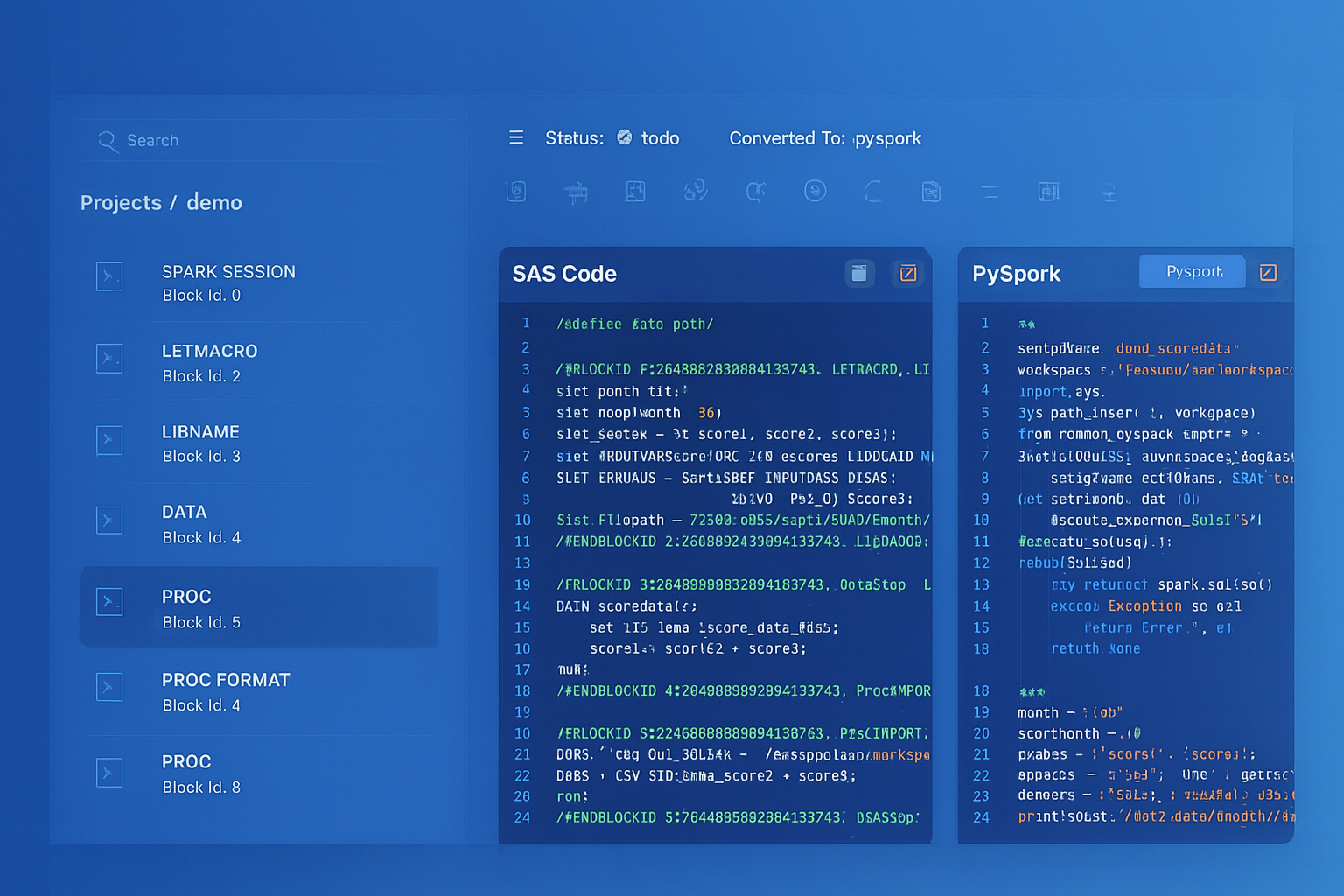
From parsed legacy code to production-ready modern equivalents — MigryX automates the entire conversion pipeline
From Legacy Complexity to Modern Clarity with MigryX
Legacy ETL platforms encode business logic in visual workflows, proprietary XML formats, and platform-specific constructs that are opaque to standard analysis tools. MigryX’s deep parsers crack open these proprietary formats and extract the underlying data transformations, business rules, and data flows. The result is complete transparency into what your legacy code actually does — often revealing undocumented logic that even the original developers had forgotten.
DataStage Hash Partitioning vs. Snowflake Micro-Partitioning
DataStage parallel jobs rely on explicit partitioning strategies to distribute data across processing nodes. Hash partitioning ensures that rows with the same key value land on the same node, which is critical for joins, aggregations, and deduplication. Administrators must configure the partition key, the number of partitions, and the APT configuration file — misconfiguration leads to data skew, memory overflows, and poor performance.
Snowflake eliminates this complexity entirely. Data is automatically divided into micro-partitions (50-500 MB compressed) during ingestion. The optimizer uses partition metadata (min/max values, distinct counts, null counts per column) to prune irrelevant micro-partitions during query execution. For joins and aggregations, Snowflake dynamically redistributes data using hash distribution at query time.
| Partitioning Aspect | DataStage | Snowflake |
|---|---|---|
| Configuration | Manual: choose hash/round-robin/range, select key, set partition count | Automatic: zero configuration needed |
| Data Skew | Manual monitoring and rebalancing required | Handled internally by adaptive query processing |
| Join Optimization | Pre-partition both inputs on join key | Optimizer selects strategy automatically |
| Scaling | Add nodes, reconfigure APT file, redistribute | ALTER WAREHOUSE SET WAREHOUSE_SIZE = 'XLARGE' |
| Clustering (optional) | Not applicable | CLUSTER BY for multi-TB tables (optimization, not requirement) |
Dynamic Tables for Simple DataStage Job Replacement
Many DataStage parallel jobs follow a straightforward pattern: read sources, join, transform, aggregate, and write to a target table on a nightly schedule. For these deterministic transformations, Snowflake Dynamic Tables eliminate the need for any orchestration — you define the target as a SQL query, and Snowflake keeps it current automatically based on a configurable target lag.
-- Replace a scheduled DataStage job + sequence with a Dynamic Table
CREATE OR REPLACE DYNAMIC TABLE gold.customer_lifetime_value
    TARGET_LAG = '1 hour'
    WAREHOUSE = analytics_wh
AS
    SELECT
        c.customer_id,
        c.customer_name,
        c.segment,
        c.region,
        COUNT(DISTINCT o.order_id) AS total_orders,
        SUM(o.amount) AS lifetime_revenue,
        ROUND(AVG(o.amount), 2) AS avg_order_value,
        MIN(o.order_date) AS first_order,
        MAX(o.order_date) AS last_order,
        DATEDIFF('day', MAX(o.order_date), CURRENT_DATE()) AS days_since_last_order,
        CASE
            WHEN SUM(o.amount) >= 500000 THEN 'Platinum'
            WHEN SUM(o.amount) >= 100000 THEN 'Gold'
            WHEN SUM(o.amount) >= 25000 THEN 'Silver'
            ELSE 'Bronze'
        END AS value_tier
    FROM silver.customers c
    LEFT JOIN silver.orders o ON c.customer_id = o.customer_id
    GROUP BY c.customer_id, c.customer_name, c.segment, c.region;
Dynamic Tables are the single most impactful simplification for DataStage-to-Snowflake migration. A DataStage parallel job with 8-12 stages, plus a sequence for scheduling, plus parameter sets for environment configuration, becomes one SQL definition that Snowflake manages automatically. There is no job to monitor, no partitioning to tune, and no infrastructure to maintain.
Semi-Structured Data: DataStage vs. Snowflake VARIANT
DataStage handles JSON and XML through specialized stages (Hierarchical Data stage, XML Input stage) that map nested structures to relational columns. These stages are configuration-heavy and require schema mapping for every nested level. Snowflake treats semi-structured data as a first-class citizen through the VARIANT data type, PARSE_JSON(), FLATTEN(), and dot-notation traversal.
-- DataStage Hierarchical Data stage: Parse nested JSON
-- Requires: schema definition, level-by-level mapping

-- Snowflake: Native semi-structured handling
SELECT
    r.value:order_id::INTEGER AS order_id,
    r.value:customer.name::STRING AS customer_name,
    r.value:customer.email::STRING AS customer_email,
    i.value:product_id::STRING AS product_id,
    i.value:quantity::INTEGER AS quantity,
    i.value:unit_price::DECIMAL(10,2) AS unit_price
FROM staging.api_responses,
    LATERAL FLATTEN(input => PARSE_JSON(payload):orders) r,
    LATERAL FLATTEN(input => r.value:line_items) i
WHERE r.value:status::STRING = 'completed';
Time Travel for Data Recovery and Validation
DataStage has no built-in data versioning or time travel capability. If a job runs incorrectly and corrupts a target table, recovery depends on external database backups, which may be hours or days old. Snowflake Time Travel provides automatic point-in-time data access for up to 90 days, enabling instant recovery from incorrect job runs and side-by-side comparison for migration validation.
-- Recover data after an incorrect migration pipeline run
SELECT * FROM gold.customer_lifetime_value AT (OFFSET => -3600);  -- 1 hour ago

-- Compare DataStage output with Snowflake output for validation
SELECT 'snowflake' AS source, COUNT(*) AS row_count, SUM(lifetime_revenue) AS total
FROM gold.customer_lifetime_value
UNION ALL
SELECT 'datastage_baseline', COUNT(*), SUM(lifetime_revenue)
FROM gold.customer_lifetime_value AT (TIMESTAMP => '2026-04-07 23:00:00'::TIMESTAMP);
How MigryX Automates DataStage-to-Snowflake Migration
DataStage jobs are stored as XML-based .dsx export files or in the Information Server repository. Manual migration involves opening each job in DataStage Designer, understanding the stage graph visually, tracing data flows through Transformers and Lookups, and rewriting the logic in SQL or Python. For organizations with hundreds or thousands of jobs, this is impractical. MigryX automates the conversion through specialized capabilities designed for DataStage's XML metadata format.
AST-Based Deterministic Parsing. MigryX parses DataStage .dsx export files and repository metadata into a structured Abstract Syntax Tree, capturing every stage, link, derivation, constraint, partition strategy, and sequence dependency. Unlike regex-based extraction that relies on XML pattern matching (and breaks on custom stage configurations, containers, and shared containers), or AI-only approaches that hallucinate stage behaviors, MigryX's parser achieves +95% accuracy by understanding the complete DataStage stage taxonomy, the Transformer expression language, and the parallel job execution model.
Column-Level Lineage. MigryX traces every column from DataStage source stages through Transformers, Joins, Lookups, Aggregators, and Modify stages to target stages. This lineage spans individual jobs and crosses job boundaries through shared containers and job sequences. The resulting column-level lineage map is critical for validating that the Snowflake pipeline produces the same results as the original DataStage job, and for satisfying regulatory audit requirements in financial services and healthcare.
Multi-Target Output. From a single DataStage job, MigryX can generate Snowflake SQL, Snowpark Python, Dynamic Table definitions, or a combination based on the complexity and nature of each stage. Simple Transformer + Aggregator patterns map to SQL. Complex jobs with iterative logic, runtime column propagation, or BuildOp stages map to Snowpark Python. SCD Type 2 patterns map to MERGE with Streams. Scheduled sequences map to Task DAGs.
STTM Documentation. MigryX generates comprehensive Source-to-Target Mapping documentation for every job conversion. Each STTM document maps DataStage stages to their Snowflake equivalents, details every Transformer derivation conversion, documents data type mappings, and provides semantic equivalence notes. This documentation is essential for testing, UAT sign-off, and regulatory compliance in regulated industries.
On-Premise and Air-Gapped Deployment. DataStage installations are frequently found in highly regulated environments — banks, insurance companies, government agencies, defense contractors — where job definitions contain proprietary business logic and cannot be sent to external cloud services. MigryX deploys entirely on-premise or in air-gapped environments, processing DataStage metadata without any external network connectivity.
Merlin AI Assistant. For complex DataStage patterns that go beyond standard stage translations — custom BuildOp stages, advanced parallel routine calls, hash file operations, complex container hierarchies, and runtime column propagation — MigryX's Merlin AI assistant provides intelligent mapping suggestions and explanations. Merlin analyzes your DataStage job portfolio to identify complexity hotspots, estimate conversion effort, and recommend the optimal Snowflake target pattern for each job. Merlin augments MigryX's deterministic parser with AI-powered guidance, combining the reliability of AST-based conversion with the flexibility of AI-assisted migration planning.
Key Takeaways
- Every DataStage parallel stage has a Snowflake equivalent — Transformer becomes SQL expressions or Snowpark with_column(), Join and Lookup become SQL JOINs, Aggregator becomes GROUP BY, Sort is eliminated (optimizer handles it), Funnel becomes UNION ALL, Filter becomes WHERE, Remove Duplicates becomes QUALIFY ROW_NUMBER(), and Surrogate Key becomes SEQUENCE.
- DataStage hash partitioning is replaced by Snowflake's automatic micro-partitioning — no partition key selection, no APT configuration, no node pool management, and no data skew troubleshooting.
- DataStage sequences translate to Snowflake Task DAGs with native CRON scheduling, predecessor dependencies, and parallel branching for concurrent job execution.
- DataStage parameter sets and environment variables become Snowflake stored procedure arguments or session variables, enabling clean environment separation (dev, test, prod).
- DataStage Change Capture stages are replaced by Snowflake Streams with MERGE statements for native, zero-cost CDC processing.
- DataStage SCD Type 2 stages map to Snowflake MERGE statements with Stream-based change detection and effective date management.
- Dynamic Tables can replace entire DataStage job-plus-sequence combinations with a single SQL definition that Snowflake refreshes automatically based on source data changes.
- Snowflake Time Travel provides automatic data versioning and recovery that DataStage cannot match — invaluable for migration validation and production incident recovery.
- MigryX parses DataStage
.dsxexports with +95% accuracy, generates column-level lineage, produces STTM documentation, and deploys on-premise for regulated environments.
Migrating from IBM DataStage to Snowflake replaces a complex, infrastructure-heavy ETL platform with cloud-native transformations that run where the data lives. The per-stage mapping is well-defined and comprehensive: Transformers become SQL expressions, Joins become SQL JOINs, Aggregators become GROUP BY, sequences become Task DAGs, SCD stages become MERGE with Streams, and the entire parallel engine — with its APT configuration files, node pools, and partition strategies — is replaced by elastic virtual warehouses that auto-scale and auto-suspend. For organizations with hundreds of DataStage jobs accumulated over a decade or more of development, MigryX provides the automated parsing, intelligent code generation, column-level lineage tracking, and STTM documentation needed to execute this migration at enterprise scale with confidence, accuracy, and full regulatory compliance.
Why MigryX Is the Only Platform That Handles This Migration
The challenges described throughout this article are exactly what MigryX was built to solve. Here is how MigryX transforms this process:
- Deep AST parsing: MigryX’s custom-built parsers achieve 95% accuracy on every supported legacy technology — not through approximation, but through true semantic understanding.
- Merlin AI augmentation: Where deterministic parsing reaches its limit, Merlin AI resolves ambiguities and implicit behaviors, pushing accuracy to 99%.
- Complete coverage: MigryX supports 25+ source technologies including SAS, Informatica, DataStage, SSIS, Alteryx, Talend, ODI, Teradata, and Oracle PL/SQL.
- End-to-end automation: From parsing to conversion to validation — MigryX automates the entire pipeline, not just one step.
MigryX combines precision AST parsing with Merlin AI to deliver 99% accurate, production-ready migration — turning what used to be a multi-year manual effort into a streamlined, validated process. See it in action.
Ready to migrate from DataStage to Snowflake?
See how MigryX converts DataStage parallel jobs and sequences to production-ready Snowflake SQL, Snowpark pipelines, and Task DAGs with column-level lineage and STTM documentation.
Explore Snowflake Migration Schedule a Demo